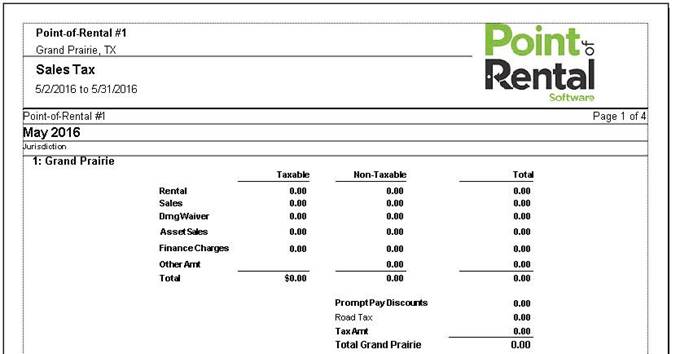
Sales Tax Report
This report will print out a sales tax report for each of the tax jurisdictions as well as a combined report for all jurisdictions. The report will list taxable, non-taxable and combined rental, sale, damage waiver, other amounts and tax collected.

Beginning Date – Select the beginning date for the report.
Ending Date – Select the ending date for the report.
Accounting Method – Select either Accrual Accounting or Cash Accounting basis for the report. Your normal accounting method will be the default.
Format – Selecting one of these options will auto default a contract format in the grouping section. You can manually change the grouping 1, 2, 3 by selecting different criteria from the drop-down menu.
Print Summary - Will show you only totals by tax jurisdiction
Print Single Line Item - Will show you only condensed totals by tax jurisdiction
Print Jurisdiction Breakout - Will only show you tax jurisdiction and the Taxable, Non-Taxable, Totals and Amount of tax. only totals by tax jurisdiction
Grouping - Allows you to select from a variety of options from the drop-down menu, you will be able to group by that field.

Print Summary – Allows you to see only totals by Tax Jurisdiction
Print Detail – Allows you to see each contract.
Print Summary